Amplify Your Brand: The Importance of Professional Video Editing for Social Media Marketing
In today’s digital era, video content reigns supreme on social media platforms. High-quality videos not only capture attention but also engage audiences and drive conversions. However, creating impactful video content goes beyond just shooting footage—it requires professional video editing. Here’s why professional video editing is crucial for promoting your business on social media and how you can leverage your cell phone to create compelling content.
The Power of Professional Video Editing
1. Enhancing Visual Appeal
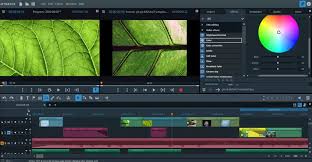
Professional video editing transforms raw footage into visually stunning content. Editors use techniques like color correction, transitions, and effects to create polished videos that stand out in crowded social media feeds. High-quality visuals attract more viewers and keep them engaged longer, increasing the likelihood of them interacting with your brand.
2. Telling a Compelling Story
Effective marketing videos tell a story that resonates with the audience. Professional editors can weave a narrative by arranging clips strategically, adding background music, and incorporating text or voiceovers. This storytelling element helps convey your brand message more effectively and emotionally connects with your audience.
3. Maintaining Brand Consistency
Consistency is key in building a strong brand identity. Professional video editing ensures that all your videos adhere to your brand’s style guidelines, including color schemes, fonts, and logos. Consistent branding across all video content reinforces brand recognition and trust among viewers.
4. Optimizing for Social Media Platforms
Each social media platform has unique requirements and best practices for video content. Professional editors know how to optimize videos for different platforms, whether it’s Instagram’s vertical videos, YouTube’s longer formats, or TikTok’s short, snappy clips. Proper optimization ensures your videos look great and perform well, regardless of where they’re posted.
5. Improving Engagement and Conversion Rates
Well-edited videos are more likely to captivate viewers and encourage them to take action, whether it’s liking, sharing, commenting, or making a purchase. By enhancing the overall quality and appeal of your videos, professional editing can significantly boost engagement rates and drive conversions.
Creating High-Quality Content with Your Cell Phone
While professional equipment can enhance video quality, modern cell phones are equipped with powerful cameras that can capture high-definition footage. Here’s how you can use your cell phone to create content that, when professionally edited, can promote your business effectively on social media:
1. Plan Your Content
Start with a clear plan for your video. Outline the story you want to tell, the key messages, and the shots you need. Planning helps ensure you capture all necessary footage and stay focused during filming.
2. Use Good Lighting
Lighting is crucial for video quality. Shoot in well-lit areas or use natural light to your advantage. If needed, invest in affordable lighting equipment like ring lights or LED panels to improve your video quality.
3. Stabilize Your Shots
Shaky footage can be distracting. Use a tripod or a stabilizer to keep your shots steady. Many modern smartphones also come with built-in stabilization features that can help achieve smoother footage.
4. Capture Clear Audio
Good audio quality is just as important as video quality. Use an external microphone to capture clear sound, especially if you’re filming in a noisy environment. Many affordable options are available that can connect directly to your phone.
5. Shoot in High Resolution
Ensure your phone is set to record in the highest resolution available, typically 1080p or 4K. Higher resolution footage gives editors more flexibility during the editing process and results in crisper, more professional-looking videos.
6. Use Editing Apps
There are several mobile apps available that offer basic video editing capabilities. Apps like Adobe Premiere Rush, iMovie, and InShot allow you to trim clips, add music, and apply filters. While these apps are great for quick edits, consider working with a professional editor for more polished and complex projects.